Odoo ERP for trade: automate sales and manage inventory in real time
Combine online and offline sales, set up automatic purchases, and control every unit of product in stock from any device
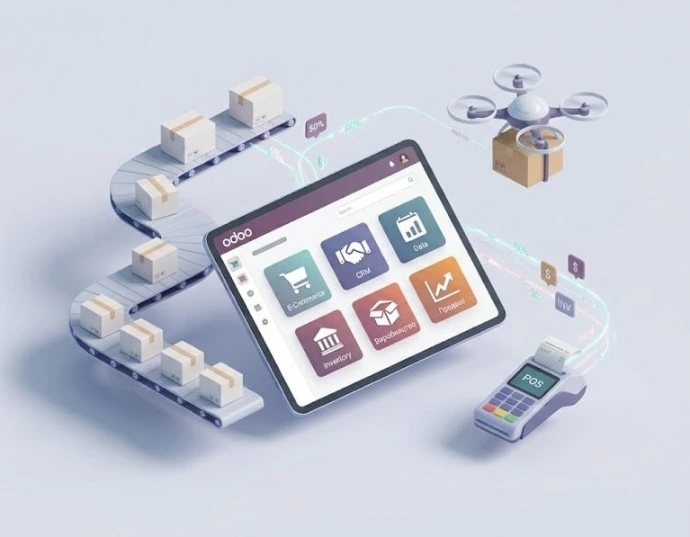
Manage processes and organize your sales department with Odoo ERP
E-Commerce
Online sales through internet and online services
B2B Sales
Interaction with buyers, partners, franchisees
Retail Trade
Through a network of own and partner retail outlets
Odoo capabilities for trade:
- CRM- customer and partner relationship management
- Sales department organization
- Product management
- Purchasing and inventory management
- Multi-channel customer communication via IP telephony and messengers
- Online store creation or company website
- Customer personal account
- Payment processing and delivery tracking via integration with external services
- Managing other processes
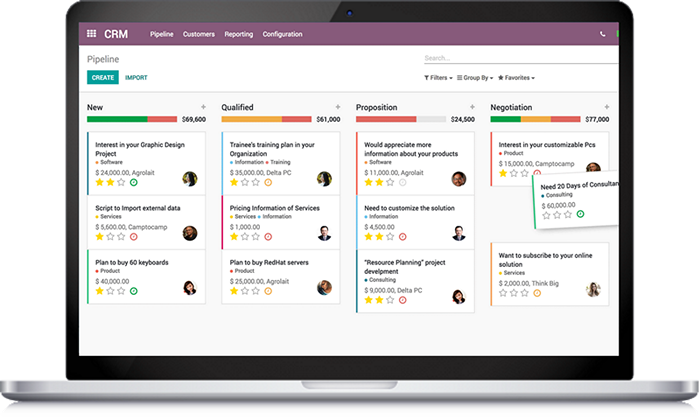
CRM: Smart Customer Relationship Management
ModuleOdoo CRM- it is not just a contact database, but a powerful engine for your sales. The system allows you to unify all communication channels in a single interface, automate routine tasks, and focus managers on closing deals rather than filling out spreadsheets.
Your sales office in one window
📱 Omnichannel and messengersCommunicate with customers where it is convenient for them. IntegrateTelegram, Viber, WhatsAppand email directly into the CRM. All correspondence history is stored in the customer card, regardless of the communication channel.
📞 Integrated IP TelephonyMake and receive calls directly from the system. Automatic lead creation on incoming calls, call recording, and quick transition to deals during communication significantly enhance service quality.
📂 Unified Information SpaceForget about personal notebooks and scattered Excel files. All customer information, order history, documents, and product specifications are stored in a structured database, accessible to your team 24/7.
🧩 Automation of the funnel and tasksPlan the work of managers with automatic reminders for calls or meetings. The system will suggest the next step (Next Activity) on its own, helping to effectively manage time and focus on priority deals.
🚀 Quick onboarding of new employeesWith an intuitive interface and clearly defined sales stages, new managers enter the workflow twice as fast, working according to the company's established standards.
More than just accounting - it's a growth tool
Odoo CRM allows not only to accumulate data but also to analyze it. Track lead sources, forecast revenue with visual reports, and analyze the reasons for lost deals to continuously improve your sales strategy.
Implementation results:
Speed:Reduction in the time taken to process each request.
Quality:No client will be left unattended thanks to triggers and notifications.
Security:The entire client database remains the property of the company, even with staff changes.
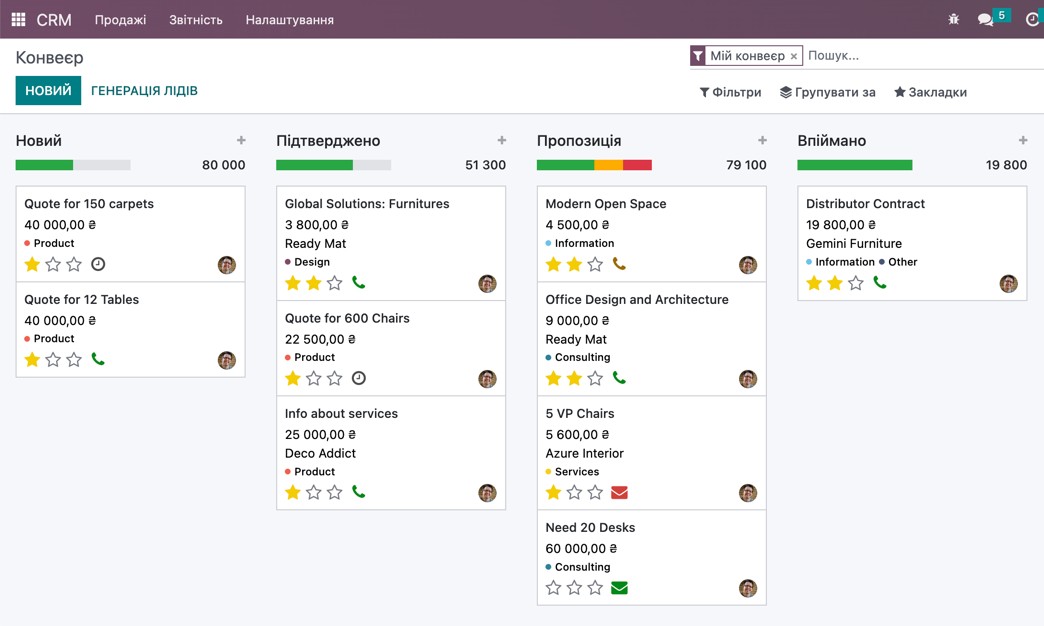
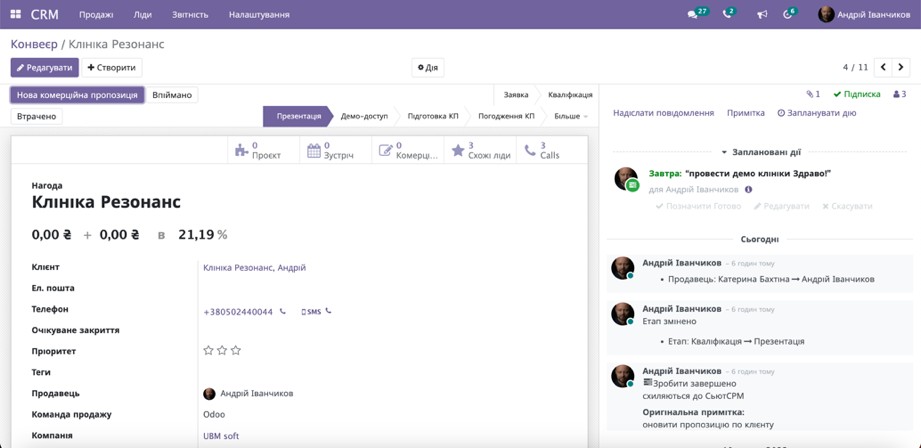
Sales Department Organization
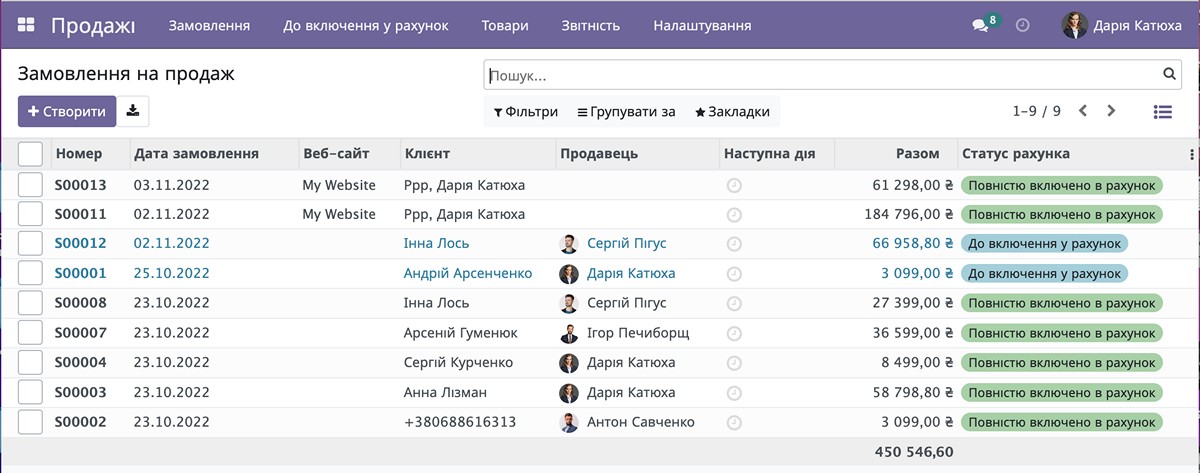
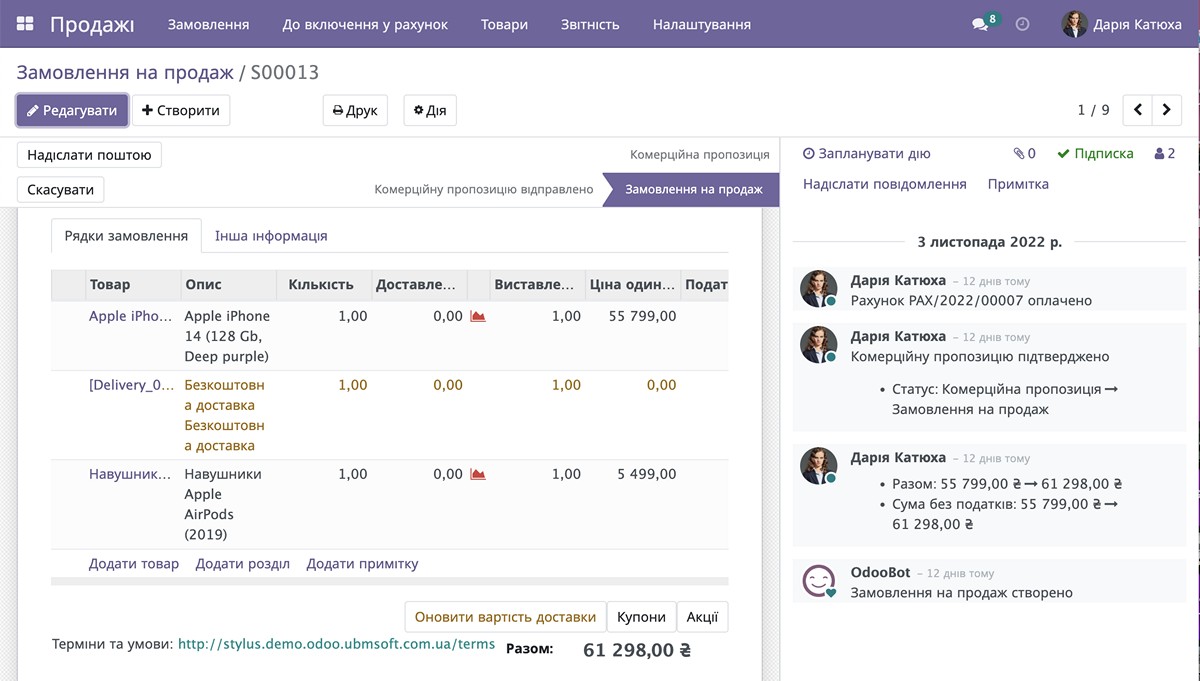
Odoo contains all the tools necessary for organizing an efficient sales department. The system's task is to provide the manager with all the information needed for fast sales:
Manager work becomes transparent to management, eliminating the need for personal notebooks and reducing risks when a manager leaves.
Orders in the system are accessible to both the specific manager and their supervisors. When necessary, orders can be transferred between managers, ensuring interchangeability.
Product Management: Centralized Catalog and PIM System
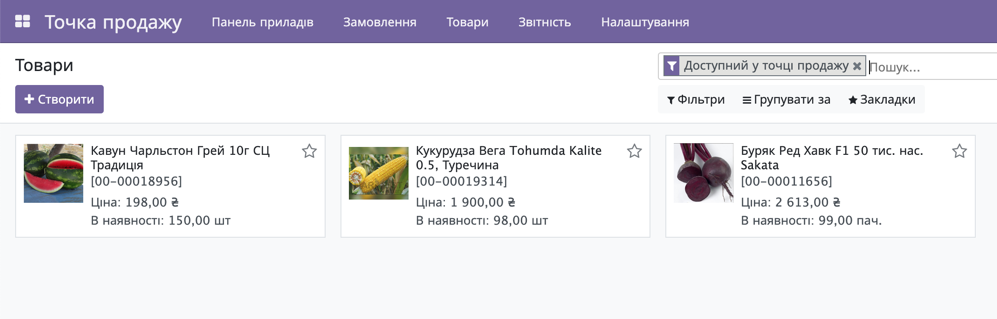
The system maintains a unified product catalog.
Products can be categorized into groups (categories), with properties and characteristics, and product images.
For a quick system start, products can be initially imported from other systems or from Excel.
Purchasing and Warehouse: Supply Chain Synchronization
Odoo contains all the necessary tools for inventory management: stock replenishment, product transfers, sales, write-offs, and returns.
The system allows purchasing goods from external suppliers as well as replenishing store inventory from the company's logistics warehouses.
It is possible to track inventory by storage rooms, warehouse facilities, retail floors, by individual zones of the retail floor, or to maintain simplified inventory of all goods in the store as a single warehouse.
Communication channels
Using Odoo, users can leverage various communication channels with customers through external messengers and communication systems, for example:
External Sales Channels
Odoo integrates with external sales systems and reduces the workload on managers for entering invoice and payment data.
The system can interact with:
Retail
The system allows managing both a single store and a chain of stores. All stores work with a single product catalog, maintain their own warehouses and stockrooms, and control inventory in retail floors.
The Odoo platform is a universal and flexible platform for automating retail stores. The system offers convenient and functional modules for effectively automating retail operations:
Odoo deploys quickly, external equipment connects easily, and store employees are trained fast. This allows rapid launch of retail outlet networks.
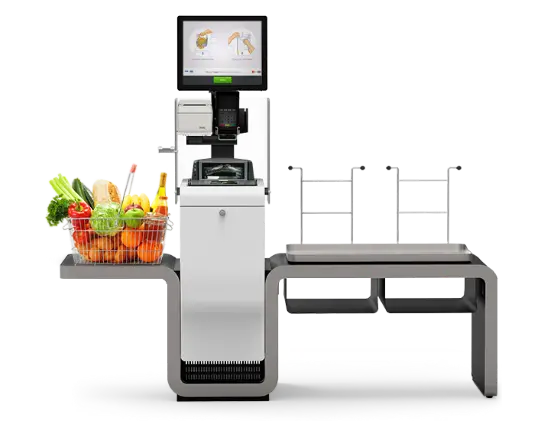
Cashier workstation
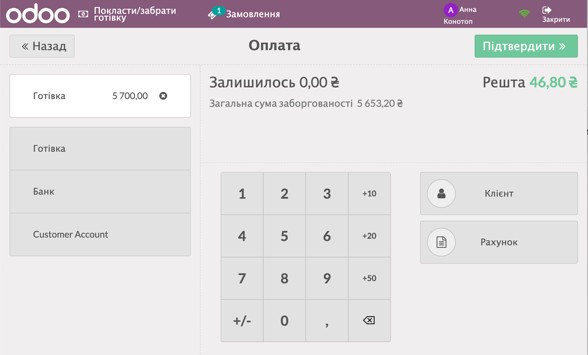
The system provides a full-featured cashier workspace for selling products and accepting customer payments.
Convenient services for opening and closing shifts and generating summary reports are available.
When receiving and paying for a pre-formed order directly in the store, the cashier can see ready orders and reference them during customer payment directly in the cashier's workspace.
System users can be:
store manager
warehouse keeper
retail floor cashier
floor consultants
procurement specialists
financial managers
business owners

Knowledge base
To help managers quickly find the information they need, they can use the internal Knowledge Base.
Such a base can contain data on anything, for example:
This significantly reduces the time to find the right information, allowing managers to always stay informed.
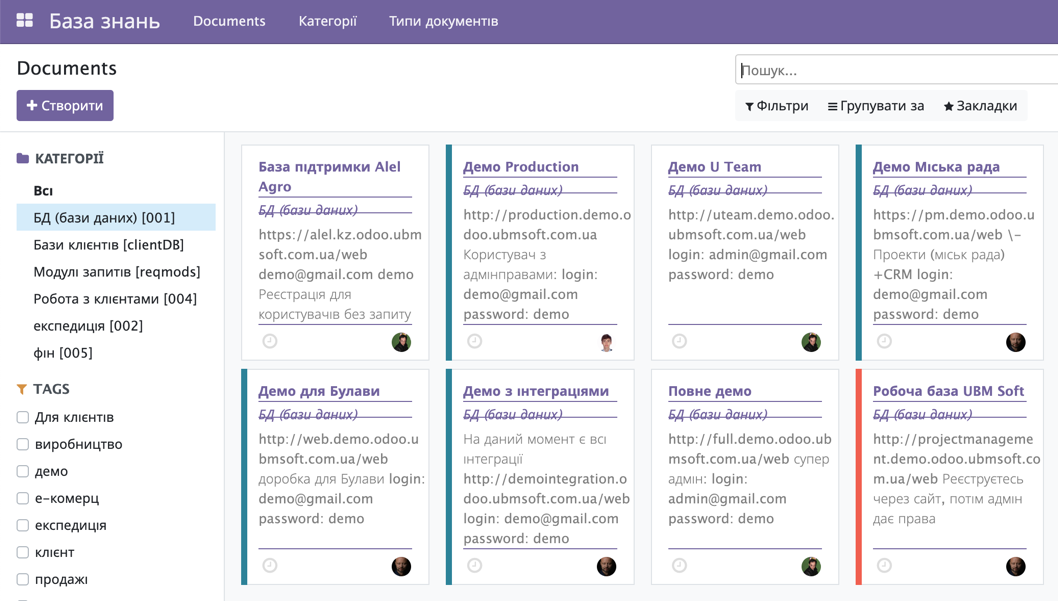
eCommerce: Your Online Store as Part of a Unified Ecosystem
With Odoo you don't need to spend money developing an expensive online store. The Odoo platform includes a full CMS system for creating business websites without programming:
Websites are created from ready-made templates with a convenient interface for comfortable content management.
Odoo Online Store contains all the essential tools for effective customer experience: product catalog, product attributes, filters, sorting, product comparison, shopping cart, checkout, payment, and customer account.
Orders created on the company website are forwarded to sales managers or the Call Center for further processing.
The main advantage of the Odoo platform is that website buyers and company managers work in a unified information space, significantly accelerating order processing.

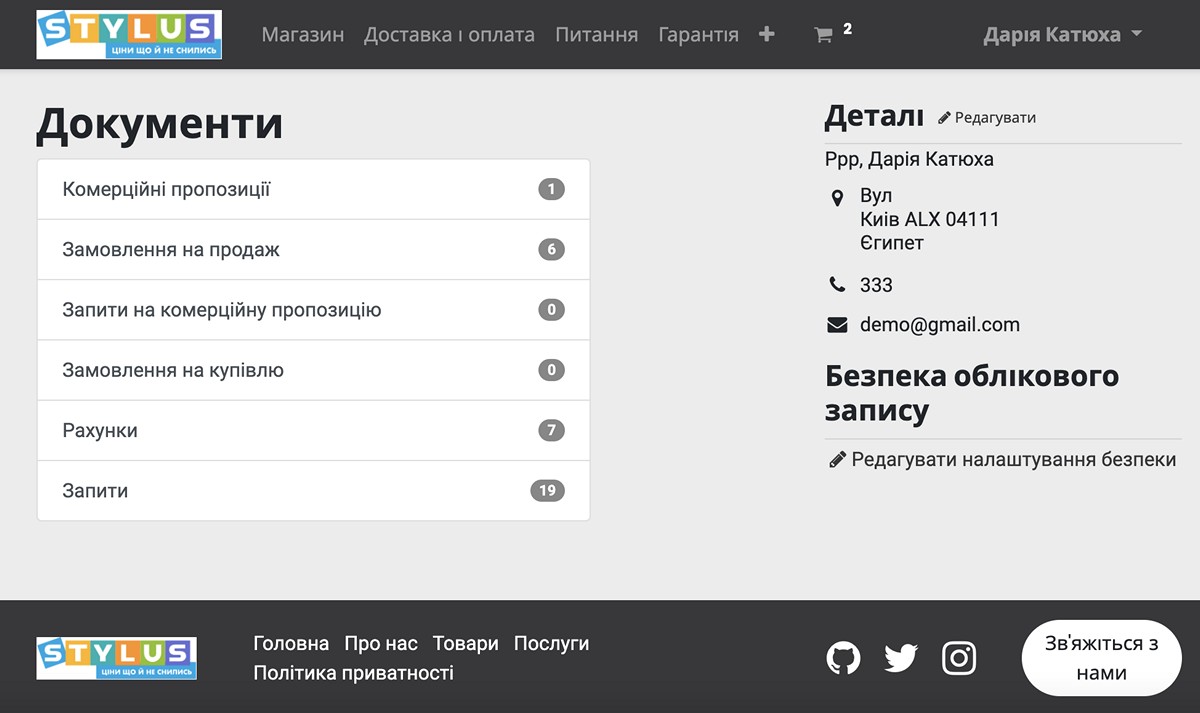
Customer Personal Account
The Customer Account allows customers to view their orders, track fulfillment and payment statuses.
Customers or company partners can see their orders, invoices, payment data, active joint projects and tasks, and submitted requests in the account.
All of this is accessible on mobile devices.
Customer Personal Account
The Customer Account allows customers to view their orders, track fulfillment and payment statuses.
Customers or company partners can see their orders, invoices, payment data, active joint projects and tasks, and submitted requests in the account.
All of this is accessible on mobile devices.
Customer Personal Account
The Customer Account allows customers to view their orders, track fulfillment and payment statuses.
Customers or company partners can see their orders, invoices, payment data, active joint projects and tasks, and submitted requests in the account.
All of this is accessible on mobile devices.
The Odoo POS module works directly in the browser and supportsoffline mode. You can continue to scan products and close checks even without the internet - the system will save the data locally and automatically synchronize it with the server as soon as the connection is restored. This is critically important for the stable operation of retail points of sale in Ukraine.
Odoo automatically updates the quantity of goods across all sales channels thanks to a single centralized "Warehouse" module. When a customer purchases a product on the website or through a POS terminal in the store, the system instantly deducts the unit from the balance, eliminating the risk of overstocking or selling out-of-stock items.
Automation occurs through integration modules that connect Odoo with the APIs of marketplaces and the accounts of logistics operators (Nova Poshta, Ukrposhta). Orders from Prom or Rozetka automatically enter the system, where the manager creates a shipping document with one click, and the customer receives a tracking number.
Yes, Odoo supports an unlimited number of price lists with the ability to set up automatic pricing rules. The system allows for automatic application of wholesale pricing when purchasing from a certain quantity, linking individual discounts to specific B2B partners, or changing prices based on the season.
Yes, Odoo fully integrates with leading Ukrainian PRRO services (Checkbox, Vchysno.Kasa, etc.) via API. The seller performs the fiscalization of the receipt directly in the Odoo POS interface during the checkout with the customer, and the data is automatically sent to the tax authorities.
Ready to automate your business?
Leave a request and our experts will contact you for a free consultation and Odoo demo.
Request an Odoo Presentation
Fill out the form and we will contact you shortly